
How to track who owes you in Receivables
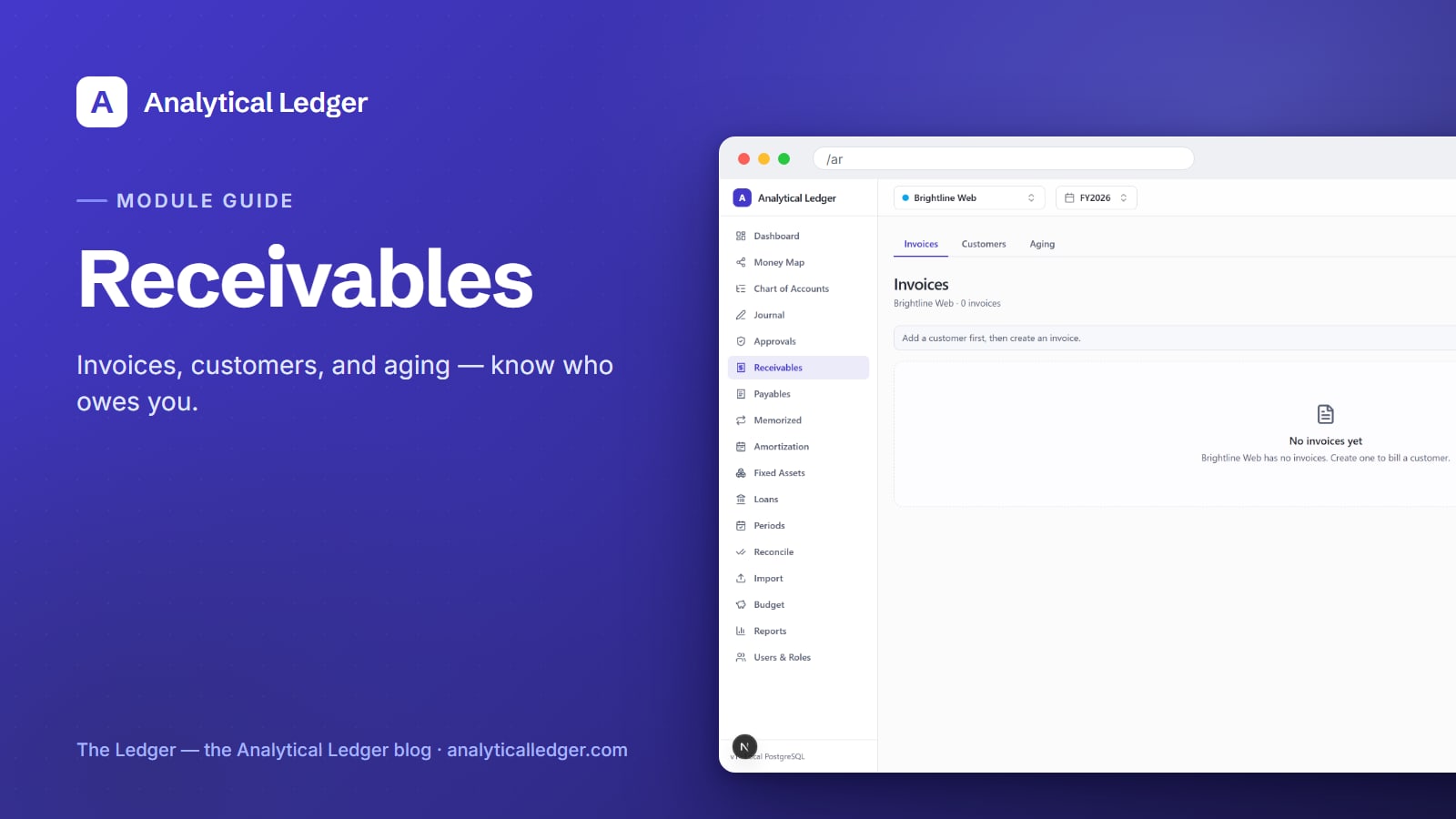
You sent the invoice weeks ago. Did they pay? You're not sure — and the only way to find out is to dig through your email and your bank statement and hope the numbers line up.
- Accounts receivable is the money customers owe you for work already delivered, and tracking it well means one place that answers "who owes me, how much, and how overdue" at a glance. In Analytical Ledger's Receivables module, you add a customer, raise an invoice, and the Aging tab buckets every open invoice by how late it is.
- Add a customer first, then create the invoice — the page tells you exactly that.
- Every invoice posts real double-entry: it lands in your AR control account and clears the moment you record the payment.
- The Aging tab sorts open invoices into current, 1–30, 31–60, 61–90, and 90+ day buckets with a total per bucket, so overdue money stops hiding.
- New to the app? Start with the tour of all 17 modules and come back here for the receivables walkthrough.
Why do unpaid invoices quietly drain your cash?
Unpaid invoices are the most common blind spot in a small business's books. The work is done, the revenue feels earned, but the cash isn't in the account — and without a running record of what's outstanding, you find out only when the balance runs low. That gap between "invoiced" and "paid" is where cash crunches are born.
Spreadsheets make it worse. A list of invoices in a sheet doesn't post to your ledger, doesn't tell your P&L anything, and doesn't age itself. You end up maintaining two versions of the truth: the sheet you invoice from and the books you file from. When they disagree — and they always do — you don't know which one is right.
Receivables closes that gap by making every invoice a real accounting event. Raise it and it posts. Collect it and it clears. Nothing lives in a separate sheet, and the money owed to you is always visible in the same books you reconcile and file from.
How to track receivables in Analytical Ledger
The Receivables module lives at /ar and splits into three tabs — Invoices, Customers, and Aging. The flow runs in that spirit: set up who owes you, raise what they owe, then watch the aging. Here's the order that keeps your books clean from the first invoice.
1. Add the customer first
Open Receivables and go to the Customers tab. Before you can invoice anyone, they need a customer record — the app enforces this order, and the invoice screen points you back here if you skip it. Use the New customer action to add one, and you'll see each customer carry its own invoice count (in the demo group, a customer reads as "Brightline Web · 0 invoices" until you raise the first one).

Keep one customer record per real payer. If you invoice the same client from two entities, each entity keeps its own customer list — which is exactly right, because each set of books tracks what's owed to it.
2. Create the invoice
Switch to the Invoices tab and use the New invoice button — the page hint says exactly that. Pick the customer you just added, enter the line items and amount, and save. The moment the invoice posts, Analytical Ledger writes the double-entry behind it: the amount lands in your accounts receivable control account and is recognized as revenue. You don't hand-key a journal entry — raising the invoice is the entry.
Every invoice gets its own detail page. Open it to see the line items, the amount outstanding, and the posting behind it. Because posted entries are immutable, you don't edit a posted invoice into a different number — you correct it the way real accounting does, with a reversing or credit entry, so the trail stays honest.
3. Record the payment when it lands
When the customer pays, record the collection against the invoice. That clears the receivable: the balance moves out of your AR control account and into cash (or clears against the deposit you reconcile from the bank). The invoice stops showing as outstanding, and it drops out of the aging buckets on its own. This is the half people skip in a spreadsheet — and it's why the sheet and the books drift apart.
4. Read the Aging tab
The Aging tab is where receivables earns its keep. It takes every open invoice and sorts it into day-range buckets — current, 1–30, 31–60, 61–90, and 90+ days past due — with a total for each bucket. One glance tells you not just how much you're owed, but how worried to be about it: money in the 90+ column is money you may have to chase or write off, while the current column is simply work you'll get paid for soon.
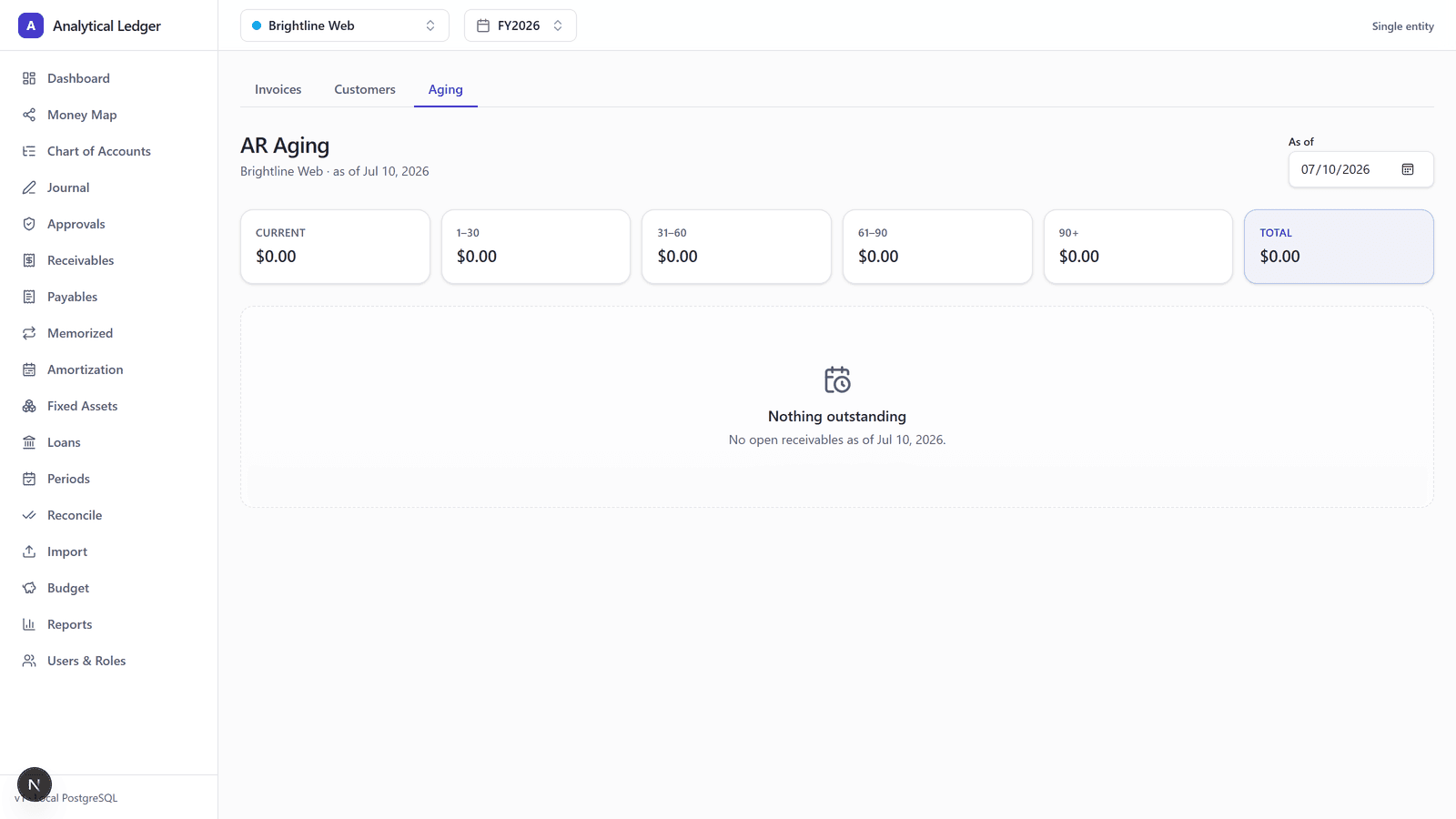
When everything's collected, the tab reads Nothing outstanding — the receivables equivalent of a clean desk. That's the state you're aiming for, and the buckets tell you precisely which invoices are keeping you from it.
We run our own receivables on it
We run our own group of companies — and our personal finances — on Analytical Ledger, daily, in production. Receivables is not a feature we shipped and forgot; it's the tab we open to see which client invoices are still out and which have cleared. The aging buckets are how we decide who to follow up with this week, in the same books we reconcile and file from. When a tool has to answer your own "did they pay yet?" every month, correctness stops being a talking point and becomes the whole point.
What people get wrong about receivables
The common mistake is treating an invoice as a sales record instead of an accounting event. In a spreadsheet, "sent an invoice" is just a row — it doesn't touch your ledger, so your P&L and balance sheet don't know the revenue exists until the cash arrives. That understates what you've earned and hides what you're owed.
Real double-entry works the other way. The invoice posts when you raise it — revenue recognized, receivable created — and the payment simply clears the receivable later. The two steps are separate on purpose. That separation is what lets the Aging tab show you money that's earned but not yet collected, which is the exact number a spreadsheet can never give you. Receivables and its mirror image, accounts payable, are the two halves of knowing whether the cash you're counting on is actually coming.
Frequently Asked Questions
What's the difference between accounts receivable and revenue?
Revenue is income you've earned; accounts receivable is the portion of that revenue you've billed but not yet collected. When you raise an invoice in Analytical Ledger, it recognizes the revenue and creates the receivable at once. Recording the payment later clears the receivable — revenue stays, the amount owed goes to zero.
Do I have to add a customer before invoicing?
Yes. Analytical Ledger's Receivables module has you create the customer record first, then raise the invoice against it — the invoice page points you back to the Customers tab if you skip the step. This keeps every invoice tied to a real payer, so each customer carries an accurate invoice count and history you can open at any time.
How does the aging report work?
The Aging tab sorts every open invoice into day-range buckets — current, 1–30, 31–60, 61–90, and 90+ days past due — and totals each bucket. It updates automatically as invoices post and payments clear, so overdue money surfaces on its own. When every invoice is collected, the tab simply reads "Nothing outstanding."
Can I track receivables for more than one business?
Yes. Analytical Ledger is multi-entity, so each set of books keeps its own customers, invoices, and aging — every entity in one place, personal finances included. If you run several entities, you switch between them in the entity view and each one tracks what's owed to it, without paying per company.
Is invoicing in Analytical Ledger free?
Yes. The whole app is free — no monthly fee, no per-invoice charge, no per-entity charge. Receivables is one of the 17 modules included at no cost. The source is being prepared for open-source release, and donations are welcomed to fund continued development but are always optional.
Start with the module you need
You don't have to set up the whole system to get value from this one. Add a customer, raise an invoice, and watch it land in the Aging tab — that alone tells you who owes you and how overdue it is. When you're ready to see how receivables ties into your reports, the financial reports guide shows where that outstanding balance appears, or talk it through with us if you're weighing whether to switch.
About Analytical Solutions
Analytical Solutions builds Analytical Ledger, a free, multi-entity, double-entry accounting web app for owners who keep their own books. We run our own companies' receivables on it — invoices, collections, and aging — daily, in production. Learn more about us.