
How journal entry approvals keep your big entries honest
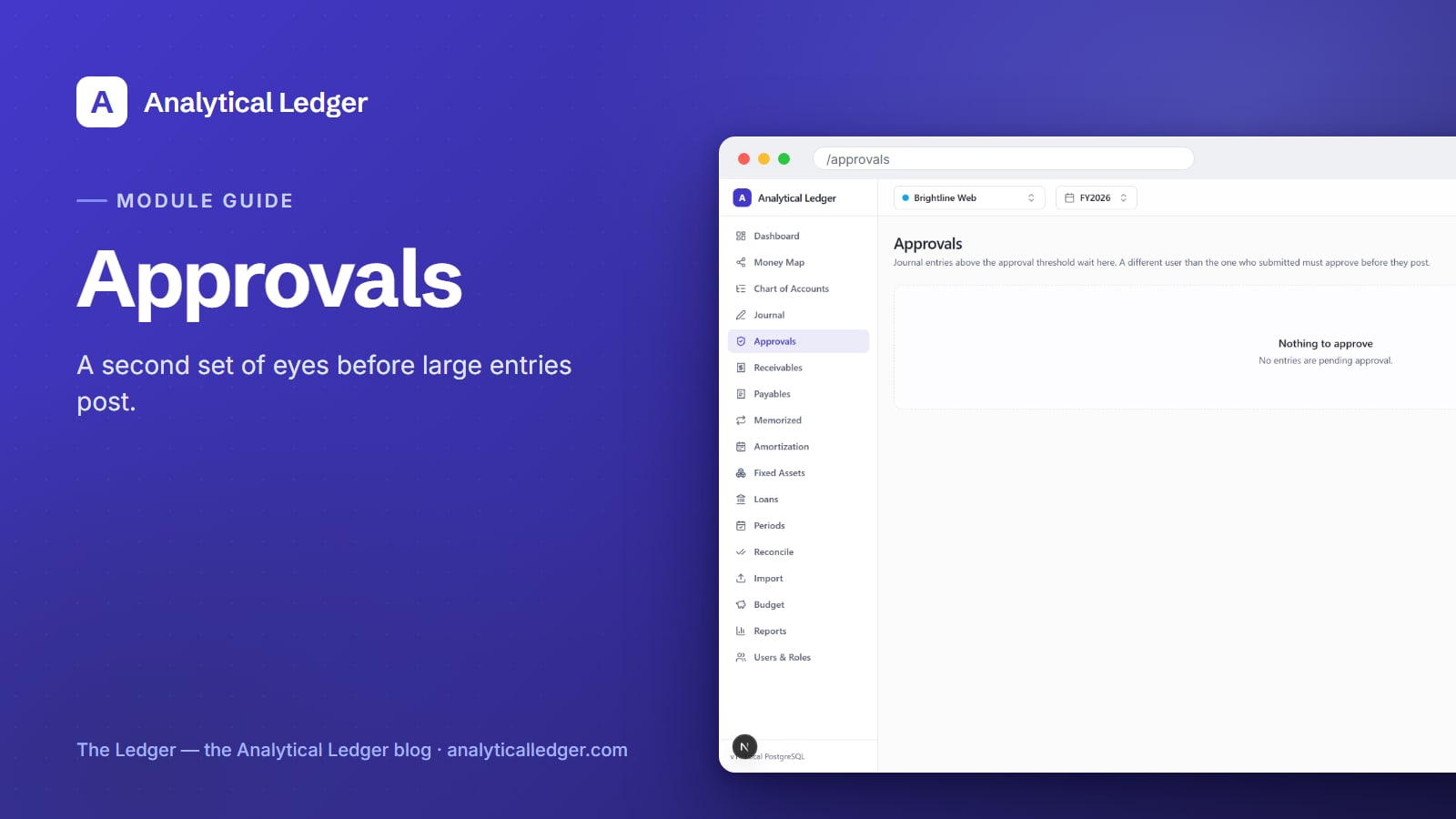
The riskiest journal entry in your books is the big one nobody else looked at.
- The Approvals module is a segregation-of-duties queue. Any journal entry above your approval threshold waits there until a different user — not the person who submitted it — reviews and approves it. Only then does it post. No single pair of hands both writes and approves a large entry.
- A second set of eyes on every material entry — before it posts, not after tax season.
- A threshold you set: small routine entries post freely; only the big ones wait for sign-off.
- Built on Users & Roles, so who can approve is a permission, not a policy on paper.
- New to the app? Start with the tour of all 17 modules, then come back here for the control that keeps big entries honest.
Why does one person approving their own entries cause problems?
Because nobody catches the mistake before it lands. When the same person writes a large entry and posts it, a transposed number, a miscoded account, or a bad adjusting entry goes straight into the ledger with no second look. Solo, that's a risk you accept. Add a bookkeeper or a partner, and it becomes a control you need.
The cost shows up later, and it's higher then. In Analytical Ledger a posted entry is immutable — you correct it by posting a reversing entry, not by editing. So a large entry that slips through isn't a quick fix; it's a reversal and a re-post. If the period has already closed or locked, the cleanup is fiddlier still.
Segregation of duties is the old accounting answer, and it's simple: whoever creates a transaction shouldn't be the only one who approves it. Big firms enforce it with staff and sign-off sheets. You don't have staff — the Approvals module gives you the same control without the headcount.
What does the Approvals module do?
It holds large entries in a queue until a second person approves them. When someone submits a journal entry above the approval threshold, it doesn't post — it lands in the Approvals queue at /approvals and waits. A different user opens the queue, reviews the entry, and approves it. Approval is what releases it to post.
Three things make that work:
- A threshold. Entries at or below it post normally, the way any journal entry does. Only entries above it route to the queue — not friction on every line, just the ones large enough to matter.
- A different approver. The submitter can't approve their own entry — the queue enforces that whoever clicks "approve" isn't who wrote it. That's the whole point of segregation of duties, done in software instead of on paper.
- A visible queue. The Approvals screen lists everything pending, so nothing waits in the dark. When there's nothing outstanding, the empty state reads "Nothing to approve."
How to use the Approvals module
Set the threshold once, then it runs quietly in the background — most days the queue is empty. The workflow only surfaces when a large entry needs a second look. Here's the full loop, from a submitter creating an entry to an approver releasing it.
1. Decide your approval threshold
Pick the dollar line above which an entry needs a second set of eyes. There's no universal right number — it's the amount where you'd want a double-check before it hits the books. Set it high enough that routine entries flow through untouched, low enough that anything material stops for review. Raise or lower it as the business grows.
2. Submit an entry that crosses the threshold
Create the journal entry the way you always do — pick the accounts, enter the debits and credits, and make sure it balances. When you submit an entry above the threshold, it doesn't post. Instead it goes to the Approvals queue and shows as pending.
3. Review the queue as the second person
Open /approvals as a different user than the one who submitted. The queue lists each pending entry. Open one and read it as an approver should: do the accounts make sense, does the amount look right, is this what the business intended? This is the second look the solo workflow never had.
4. Approve it — or leave it pending
If the entry is correct, approve it — it posts to the ledger like any other entry. If something looks wrong, don't. It stays in the queue, unposted, and nothing hits your books until it's sorted out with whoever submitted it. A pending entry is a question, not a fact — approval is you answering it.
5. Confirm it posted into the right period
Once approved, the entry posts — and posting is gated by accounting periods. An entry only lands in an open period; it can't post into one that's closed or locked. Check that it went where you expected. From here the entry is immutable — you'd correct it with a reversing entry, not an edit.
Who can approve entries in Analytical Ledger?
Approval rights come from roles, not from a separate permission list. Analytical Ledger has three roles — viewer, accountant, and owner. A viewer can look but not touch. Accountants and owners do the real work of writing and approving entries. On top of that, the queue always requires the approver to be a different user than the submitter.
That's why the Approvals module and user roles and permissions are two halves of one control. Roles decide who's allowed to approve at all; the queue decides that the approver and submitter must be two different people. Together they give a small team the same separation a big finance department gets from an org chart — without needing one.
We run our own group of companies — and our personal finances — on Analytical Ledger, daily, in production. The Approvals queue is how a large adjusting entry gets a second look before it posts, not months later during a reconciliation.
What owners get wrong about approvals
The most common mistake is thinking approvals are only for companies with employees. They're not. Even a one-person shop that hires a part-time bookkeeper suddenly has two hands on the books — exactly when you want big entries reviewed before they post, not reconstructed afterward.
The second mistake is setting the threshold at zero, so every entry waits for approval. That turns a control into a chore, and chores get skipped. Set it where a mistake would actually hurt, and let everything smaller flow through.
The third is treating a pending entry as already booked. It isn't. Until someone approves it, it hasn't posted and isn't in your reports. "Nothing to approve" is the state you want to see; a full queue is a to-do list, not a problem.
Frequently Asked Questions
What is journal entry approval in Analytical Ledger?
It's a segregation-of-duties control. Any journal entry above your approval threshold is held in a queue at /approvals instead of posting immediately. A different user than the one who submitted it must review and approve the entry before it posts to the ledger, so no single person both writes and approves a large entry.
Can I approve my own journal entry?
No — and that's deliberate. The Approvals queue requires that the person who approves an entry is a different user than the one who submitted it. This is the core of segregation of duties: it stops one pair of hands from both creating and releasing a large entry. You'll need a second user with an accountant or owner role to approve.
Do all journal entries need approval?
No. Only entries above the approval threshold you set go to the queue. Everything at or below it posts normally, with no extra step. Set the threshold at the dollar amount where you'd genuinely want a second look, so routine entries flow through and only material ones wait for sign-off.
What happens to an entry while it's waiting for approval?
It sits in the Approvals queue as pending and does not post. Because it hasn't posted, it isn't in your ledger or your reports yet — it's held, not booked. Once a different user approves it, it posts to an open period like any other entry. If it's never approved, it never posts.
Which roles can approve entries?
Analytical Ledger uses three roles: viewer, accountant, and owner. Viewers can see the books but not change them, while accountants and owners can submit and approve entries. On top of role permissions, the queue always enforces that the approver is a different user than the submitter, so approval rights and segregation of duties work together.
Approvals are one control in a system built so you can trust every number in it. To see how the queue fits alongside the general ledger, reconciliation, and reports, walk through the app on the products page or start with the module tour and follow the guide for the piece you need next.
About Analytical Solutions — We build Analytical Ledger, free multi-entity double-entry accounting where every entry is correct to the cent and controls like approval are built in, not bolted on. We run our own group of companies on it, daily. Learn more about us.