
How to close an accounting period
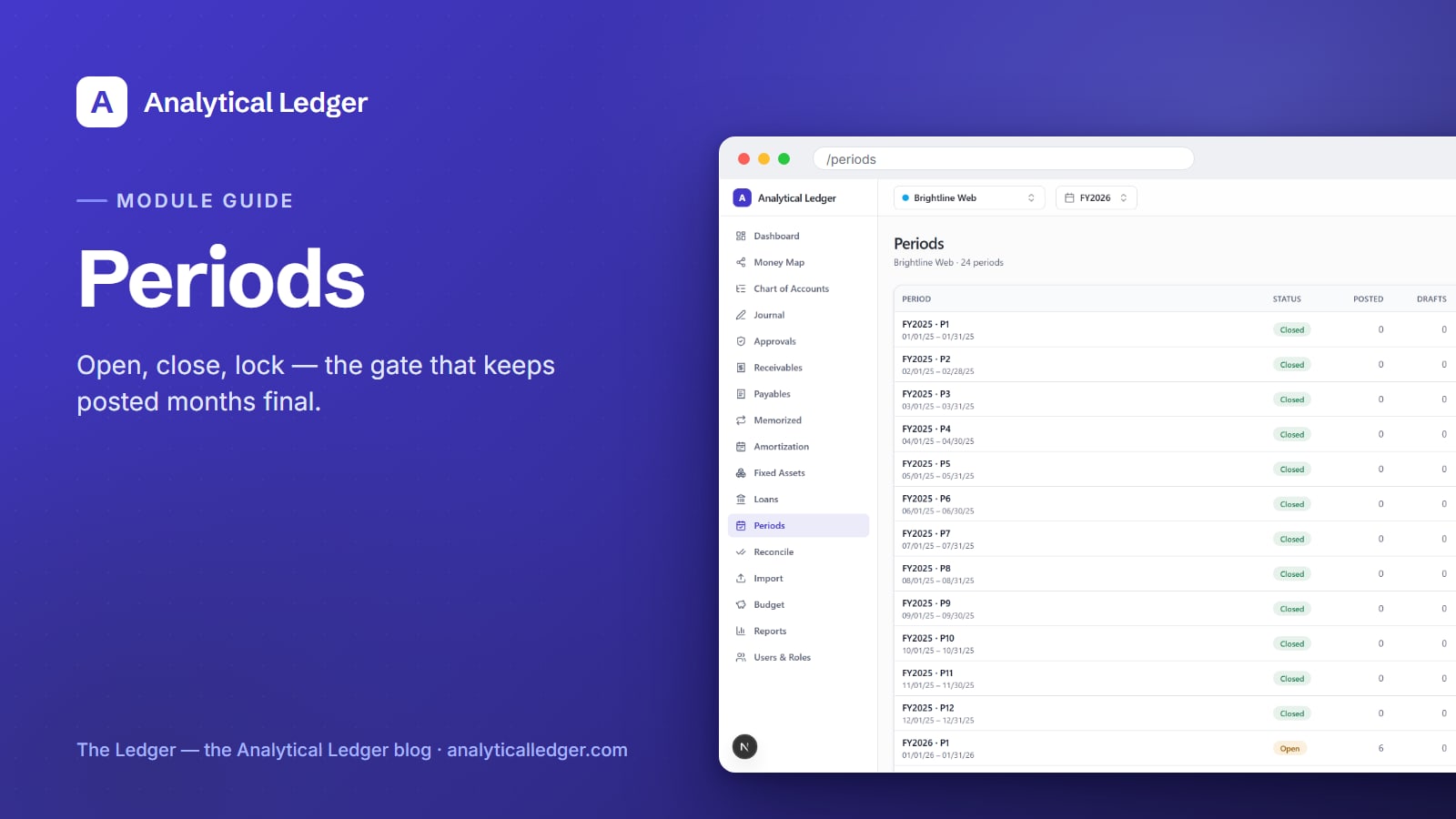
A closed month is a promise: these numbers are final, and nothing can quietly change them after the fact. Keep every month open forever and you have no such promise — a stray entry can rewrite last quarter's profit while you're not looking.
- Closing an accounting period locks a month against new activity so the numbers you reported stay the numbers on record. In Analytical Ledger, each month per entity is open, closed, or locked. Open accepts postings; closed blocks them; locked marks the month final. You close after you reconcile and report, and fix later errors with a reversing entry.
- Open, closed, and locked are the posting gate — the journal blocks any entry dated into a closed month and shows a period-closed badge.
- Closing turns "I think last month is done" into a fact you can stand behind at tax time.
- Every entity gets its own monthly periods, so one set of books can be closed while another is still catching up. New to the app? Start with the tour of the modules.
Why an open month is a liability
An always-open month is a liability because nothing stops the past from changing. You reconcile March, run the P&L, tell yourself it's done — then an import lands a stray transaction dated March 14, and the report you already trusted is quietly wrong. You'd never know until the numbers didn't tie out.
This is the exact moment the books stop being trustworthy. Not because the math is wrong — Analytical Ledger enforces balanced entries in the app and again with database triggers — but because "done" was never enforced. A period you can always post into is a period you can never fully close the door on. Closing is how you shut that door.
What the Periods module actually does
The Periods module (at /periods) is the posting gate for your books. It lists every month of the fiscal year for the current entity, each carrying one of three states — open, closed, or locked — plus the close and lock actions and a note of what's still pending before a month can be closed. It decides which months will accept a journal entry and which won't.
The three states read plainly:
- Open — the working month. Journal entries post normally, whatever their source: manual, import, distribution, or system.
- Closed — reconciled and reported. Posting into it is blocked. If you try to date an entry into a closed month, the journal refuses it and shows a period-closed badge instead of accepting the entry.
- Locked — final. The month is settled and shouldn't move again — think of it as closed with the key thrown away.
Because periods are tracked per entity, your operating company can have January through March closed while a newer entity still has January open. Switch the entity view and you're looking at that entity's own period list, on its own timeline.
How to close an accounting period
Close a period in Analytical Ledger by working through the month in order: reconcile it, report on it, then close it — and lock it once you're certain it's final. The list on the /periods screen surfaces what's still pending, so you're never guessing whether a month is ready to close.
1. Reconcile the month first
Before you close, make the ledger agree with reality. Finish your bank and card reconciliation for the month so every statement line is matched and the balances tie out to the cent. Closing a month you haven't reconciled just locks in a number you can't yet trust — do the reconciliation first, always.
2. Run your reports
With the month reconciled, pull the reports you rely on — the P&L, the balance sheet, whatever you file or review from the financial reports module. This is your last read of the month while it's still open. If a number looks off, you fix it now, with the period open, rather than fighting the posting gate later.
3. Close the period
Once the month is reconciled and reported, close it from the Periods list. The state flips from open to closed, and the posting gate goes up: from this point, no new entry can be dated into that month. Anyone who tries — including an import — is stopped, and the journal shows the period-closed badge so the reason is obvious.
4. Lock it when it's final
Closing says "done for now." Locking says "done for good." When a month is truly settled — filed, reviewed, past any chance of legitimate revision — lock it from the same list. Locking is the strongest signal the module offers that a month is history and should stay exactly as it is.
How do you fix a mistake in a closed month?
You fix a mistake in a closed month by posting a reversing entry in the current open month — not by reopening history. Posted entries in Analytical Ledger are immutable by design: you never edit or delete one, you offset it with a new balanced entry. A closed period simply makes that discipline the only path, which is the point.
Say March is closed and you find a miscategorized expense. You don't crack March back open and rewrite it. You post a correcting entry — dated in the current open month — that reverses the mistake and books it correctly. The correction lands in the live period, your March reports stay exactly as you filed them, and the audit trail shows what changed and when. That's how real accounting handles the past: you add to the record, you don't rewrite it.
We run our own group of companies — and our personal finances — on Analytical Ledger, daily, in production, and this is the rule we live by every month-end. Closed months stay closed; corrections move forward.
What people get wrong about closing periods
The common mistake is treating a closed period as a locked door you're meant to reopen. It isn't. Reopening a closed month to "just fix one thing" is the habit that makes books untrustworthy — it means any past number might still change, so no report is ever truly final.
The second mistake is closing too early, before the month is reconciled. Closing doesn't make a month correct; it preserves whatever state the month is already in. Close a messy month and you've just frozen the mess. Reconcile first, confirm the reports, then close. Done in that order, a closed period is a guarantee — not a cage.
Frequently Asked Questions
What's the difference between closing and locking a period?
Closing a period blocks new postings into that month — it's "done for now" and stops stray entries from changing reported numbers. Locking is stronger: it marks the month final, "done for good," for months that are filed and past any legitimate revision. Both live on the Periods list; you close first, then lock when you're certain.
Can I post a journal entry to a closed accounting period?
No. Posting into a closed period is blocked by design. If you date an entry into a closed month, the journal refuses it and shows a period-closed badge instead of accepting the entry. That gate is the whole reason to close a month — so the numbers you already reconciled and reported can't quietly change afterward.
How do I fix a mistake in a period I already closed?
Post a reversing entry in the current open month — never reopen the closed one. Posted entries are immutable, so you correct by offsetting: a new balanced entry, dated in the live period, that reverses the error and books it right. Your closed-month reports stay intact, and the audit trail records exactly what changed.
When should I close an accounting month?
Close a month once it's fully reconciled and you've run the reports you rely on. Reconciliation makes the numbers true; the reports confirm them; closing preserves that state. Closing before reconciling just freezes an unfinished month, so always work in that order — reconcile, report, then close from the Periods list.
Do accounting periods work per entity?
Yes. Every entity keeps its own monthly periods on its own timeline, so one set of books can have several months closed while a newer entity still has them open. Switch the entity view and you see that entity's period list. Consolidation reads each entity's own closed and open months independently.
Close the door on last month, for good
Closing periods is how "I think the books are done" becomes a fact you can stand behind. Reconcile the month, run the reports, then close it — and the numbers you trusted stay the numbers on record. See where Periods fits alongside the other modules in the full module tour, or get in touch if you'd like to talk through your month-end.
About Analytical Solutions
Analytical Solutions builds Analytical Ledger — free, multi-entity, double-entry accounting where every posted entry is immutable and every month can be closed and locked, so your reported numbers stay put. We run our own group of companies on it, daily, in production. More about us.