
How to set up users, roles, and permissions
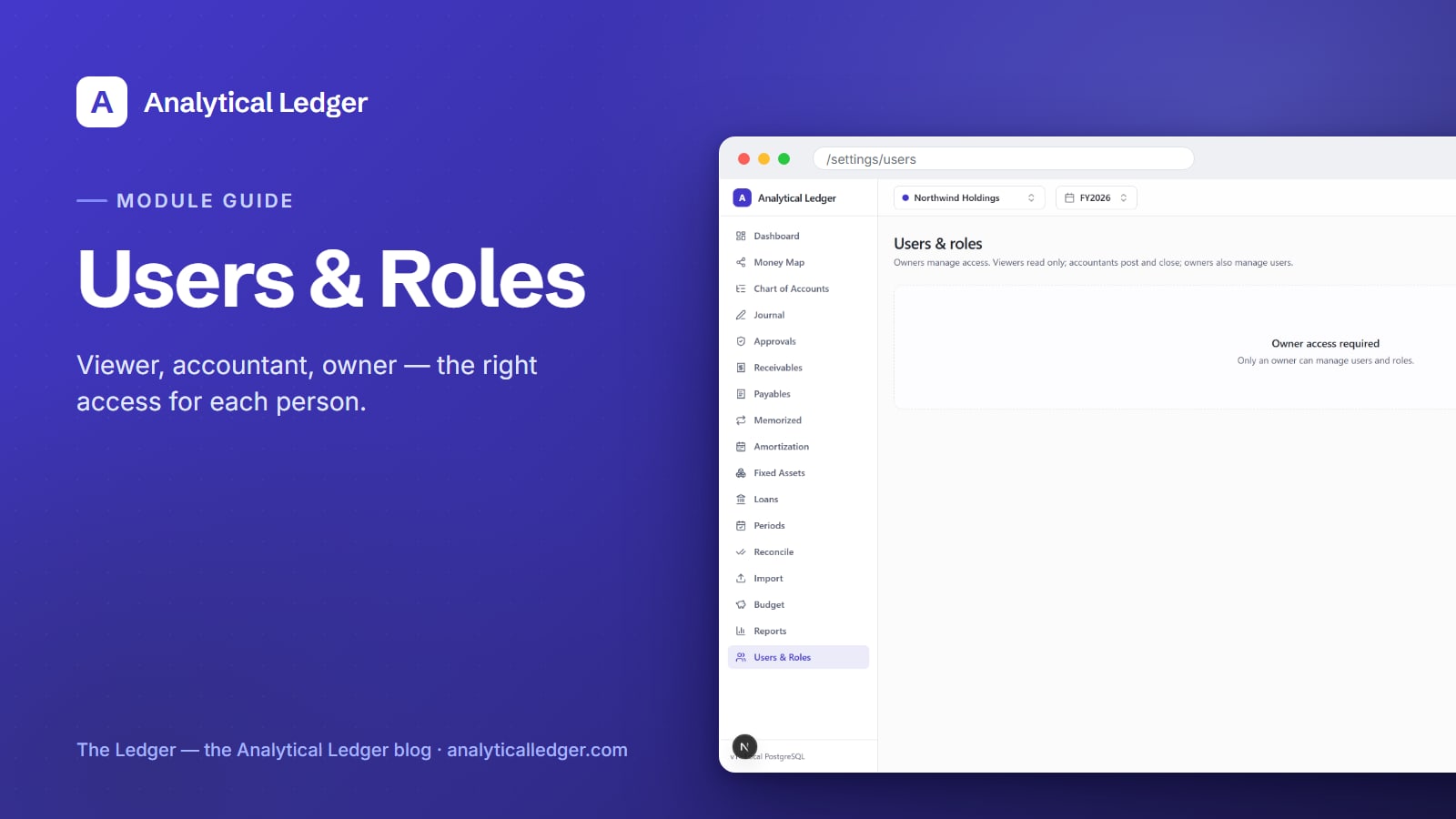
The person who enters a large journal entry should not be the same person who approves it — not because you distrust your bookkeeper, but because that is how real financial controls work, even in a two-person shop.
- What it is: Analytical Ledger's Users & Roles module (Settings → Users) controls who can do what through three roles — viewer sees the books read-only, accountant can post entries and close periods, and owner can do everything plus manage people. Sign-in runs on OAuth with an email allowlist, and only an owner can open this page.
- What you get: the right person can work without being able to break anything they shouldn't touch.
- Where it fits: roles pair with the journal approvals workflow so the person who submits a large entry is never the one who approves it — a core part of the full module set.
Why open access costs more than it looks
Shared logins and blanket access feel simpler until something goes wrong. When everyone can post, void, and close periods, you lose the one thing books are supposed to give you: a reliable trail of who did what. A miscategorized entry or a reopened period becomes impossible to trace back to a decision.
The cost shows up quietly. A contractor you gave "just view access" turns out to have been able to edit the chart of accounts. A part-time helper closes a month early and you don't notice until the numbers move. None of this is malice — it is the absence of roles. Access control is not enterprise overhead; it is the difference between books you can stand behind and books you merely hope are right.
How to set up users and roles in Analytical Ledger
Setting up access takes four steps as an owner: open the Users page, add each person to the email allowlist, assign the role that matches what they actually do, and pair those roles with approvals so large entries need a second set of eyes. You do it once and adjust only when your team changes.
1. Open Settings → Users as an owner
The Users & Roles page lives at Settings → Users, and it is owner-only. If you sign in as a viewer or accountant, the page shows "Owner access required. Only an owner can manage users and roles." That guard is deliberate: the ability to grant access is itself the most powerful permission, so it stays with owners alone and never leaks to a role that shouldn't have it.
2. Add each person to the email allowlist
Analytical Ledger uses OAuth sign-in — each person logs in with their existing Google or Microsoft account, so there is no separate password for you to create, store, or reset. Access is governed by an email allowlist: a person can only reach your books if their email is on the list. Add the exact address they sign in with, and remove it the day they leave.
3. Assign the role that matches the work
Give each person the least access that lets them do their job. A bookkeeper who reconciles and posts needs accountant. An investor or spouse who only needs to see the numbers gets viewer. Reserve owner for the people who actually run the business. You can change a role at any time, so start narrow and widen only when the work requires it.
4. Pair roles with approvals for large entries
Roles decide what a person can do; the approvals module decides what needs a second signature before it counts. Together they enforce separation of duties: an accountant can submit a large journal entry, but an owner approves it before it posts. The submitter is never the approver — the control that catches honest mistakes and dishonest ones alike.
What can each role actually do?
Each role is a widening circle of capability. A viewer reads everything and changes nothing. An accountant does the daily and monthly work — posting entries, reconciling, and closing periods. An owner does all of that plus the two things nobody else can: managing users and setting roles. Here is the exact split.
| Capability | Viewer | Accountant | Owner | | --- | --- | --- | --- | | View reports, registers, and entities | Yes | Yes | Yes | | Post and void journal entries | No | Yes | Yes | | Reconcile and close monthly periods | No | Yes | Yes | | Manage users and assign roles | No | No | Yes |
Because posted entries are immutable — you correct them by posting a reversing entry, never by editing — even a full owner cannot quietly rewrite history. The role model controls who can act; the ledger itself controls what those actions can undo. Correctness holds regardless of who holds which role.
What owners get wrong about permissions
The common mistake is treating roles as a trust test — as if assigning viewer to a longtime bookkeeper is an insult. It isn't. Roles describe the job, not your opinion of the person. The most trusted accountant in the world still shouldn't approve their own largest entry, because separation of duties protects them too: a clean approval trail is what clears them when a number is questioned later.
The second mistake is the shared login. One account that everybody uses erases the audit trail entirely — every action reads as "the owner," so nothing can be traced. Give each person their own allowlisted email and their own role. It costs nothing, and it turns "who did this?" from an argument into a lookup.
We run our own group of companies — and our personal finances — on Analytical Ledger, daily, in production, and this is exactly how we operate them: separate logins, least-privilege roles, and approvals on the entries that matter. It is not theater. It is how you keep books you can defend without slowing down the person doing the work.
Frequently Asked Questions
Who can access the Users & Roles page?
Only an owner. The page at Settings → Users is owner-only by design — viewers and accountants see the message "Owner access required. Only an owner can manage users and roles." The power to grant access is the most sensitive permission there is, so it stays with owners and never falls to a lesser role.
How do people sign in — do I create passwords for them?
No. Analytical Ledger uses OAuth sign-in, so each person logs in with their existing Google or Microsoft account. You never create, store, or reset a password. You control access through an email allowlist instead: only allowlisted addresses can reach your books, and removing someone is as simple as taking their email off the list.
What is the difference between the accountant and owner roles?
An accountant does the working-level accounting: posting and voiding journal entries, reconciling, and closing monthly periods. An owner can do all of that plus two owner-only things — managing users and assigning roles. In short, accountants run the books; owners run the books and decide who else can touch them.
Can I stop one person from approving their own entries?
Yes — that is what pairing roles with the approvals module does. Separation of duties means the person who submits a large journal entry is never the one who approves it. An accountant can prepare and submit an entry, but an owner reviews and approves it before it posts, so no single person both creates and blesses a material transaction.
Does role-based access work across multiple entities?
Yes. Roles govern what a person can do within the books they can reach, and Analytical Ledger keeps every entity — including personal finances as a first-class entity — in one place. You assign the role that fits each person's job, and it applies as they switch between entities and consolidation groups in a single, consistent set of books.
Get the right people on the right access
Access control is how you keep books that are correct and accountable — the right person doing the work, with a clear trail behind every entry. Set up your roles once, pair them with approvals, and know the condition of your business without wondering who changed what. See how the Users & Roles module fits the whole system, or tell us how your team is set up and we'll point you at the right configuration.
About Analytical Solutions. We build Analytical Ledger — free, multi-entity, double-entry accounting you own, correct to the cent and enforced twice. We run our own group of companies and our personal finances on it, daily, in production, with the same roles and approvals described here. More about who we are.