
How to use the Memorized module
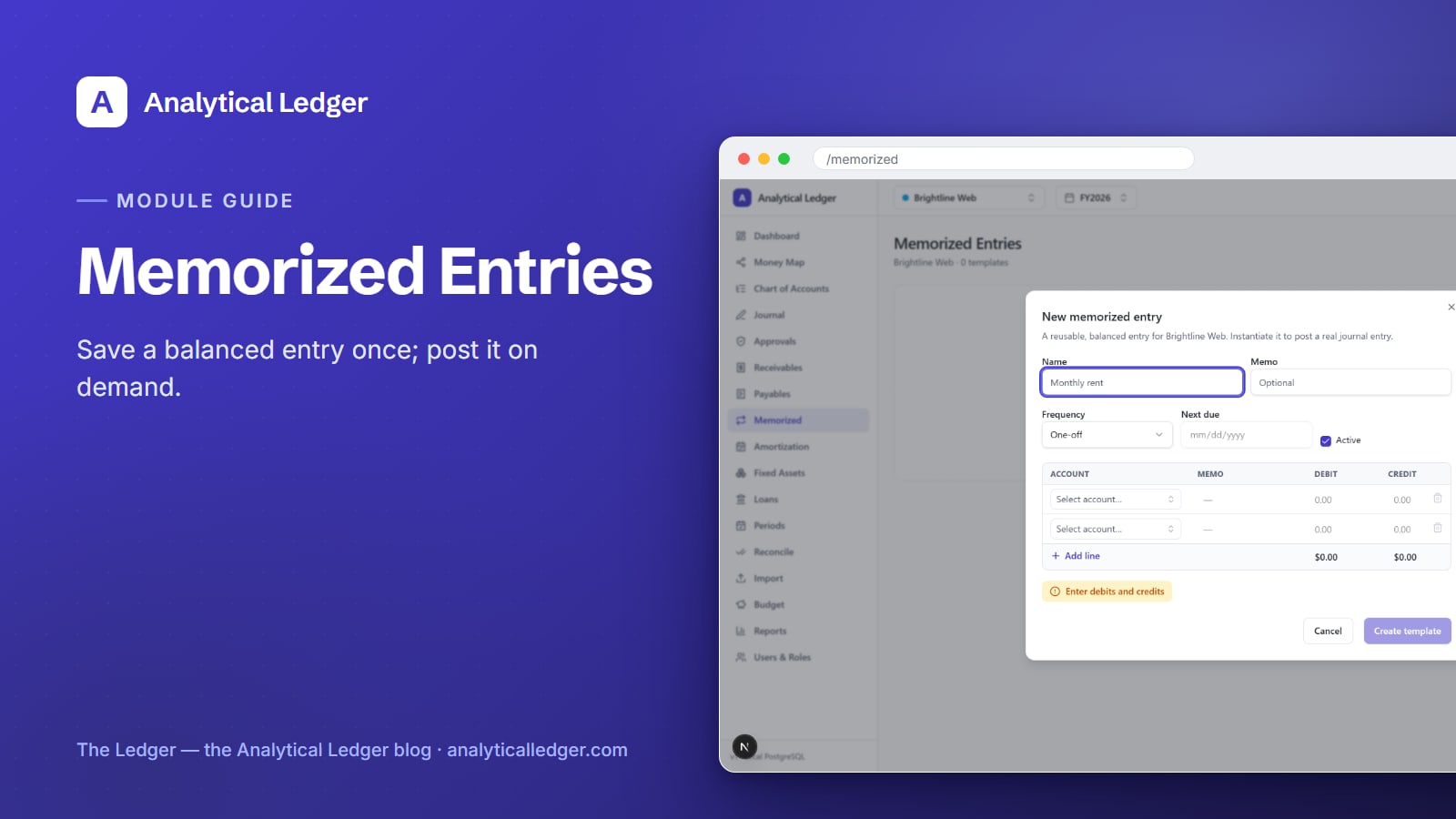
You type the same rent entry into your books every month — same accounts, same amounts, same split — from memory, and one busy month you fat-finger it or skip it entirely.
- The Memorized module in Analytical Ledger stores templates for entries you post repeatedly — rent, subscriptions, owner draws, payroll journals. You build a balanced debit-credit template once, give it a name and a frequency, then post it on demand. Each post creates a normal journal entry you review before it hits the ledger. No retyping, no forgotten recurring costs.
- Set up a template once and every future posting is a two-click confirmation instead of a fresh data-entry chore.
- The entry it produces is a normal, reviewable journal entry — nothing posts behind your back.
- Best for anything predictable: rent, software subscriptions, owner draws, and standard payroll journals. Start from the module tour if you want the full map first.
Why do repeat entries eat your week?
Because the entries you make most often are the ones you make from memory — and memory is where mistakes and skips live. A recurring rent or payroll journal is the same handful of lines every period, but retyping it by hand invites transposed amounts, a wrong account, or the month you simply forget.
The cost is quiet. A skipped subscription entry understates expenses, so your profit looks better than it is until the reconciliation catches it. A mistyped payroll split throws off two accounts at once. And every manual re-entry is time you spend on rote work instead of the business — the exact reason the books stop getting done when things get busy.
Memorized templates remove the retyping. You define the entry correctly one time; after that, posting is confirmation, not creation.
How to create and post a memorized template
Open the Memorized module at /memorized. If you have no templates yet, the empty state reads: "no templates. Create one to reuse a balanced entry and post it on demand." That is your starting point — one New template action builds your first reusable entry, and posting it later takes seconds.

1. Open New template
Click New template to open the dialog. This is where you define the entry once. Nothing you enter here posts to the ledger yet — a template is a saved pattern, not a transaction. You are describing what the entry should look like every time you reuse it.
2. Name it and set a frequency
Give the template a clear name you'll recognize in a list — "Office rent," "Payroll — biweekly," "Owner draw." Set the frequency (how often you expect to post it) and a start date. The frequency is a label for your own planning; it tells you what cadence this entry belongs to, so a monthly rent template reads differently from a weekly one.
3. Build the balanced debit and credit lines
Enter the debit and credit lines exactly as the real entry should post — the accounts and the amounts. This is standard double-entry: the debits and credits must equal each other. Analytical Ledger enforces that balance in the app and again with database triggers, and money is stored as exact decimals, never floating point — so the template can't save lopsided or drift by a rounding penny.
4. Post the entry on demand
When the entry is due, open the template and post it. Posting creates a normal journal entry — the same kind you'd enter by hand — that you review before it commits. You can adjust an amount for that period (a rent increase, a variable payroll run) before you confirm. The template supplies the skeleton; you approve the specifics each time.
5. Review and confirm
The posted entry follows the normal lifecycle: draft → posted → void. Nothing hits the ledger until you confirm, and once it's posted it's immutable — you correct a mistake by posting a reversing entry, the way real accounting works. Posting is also gated by open accounting periods: if the period is closed or locked, the entry won't post there.
What belongs in a memorized template
Anything you post on a predictable rhythm, with the same accounts each time, is a good candidate. If you find yourself retyping an entry from memory, it should be a template. Good fits include:
- Rent — the same lease payment split the same way every month.
- Subscriptions — recurring software and service charges you'd otherwise forget until the card statement.
- Owner draws — regular transfers out to the owner, kept consistent and traceable.
- Payroll journals — the standard wage, tax, and withholding split you record each pay run.
- Standing accruals or allocations — any period-end entry that repeats with a known shape.
If a recurring cost also flows through a vendor bill, pair the template with the Accounts Payable module so the payable and the journal side stay in agreement.
Does a memorized entry post automatically?
No. A memorized template never posts on its own — you post it on demand, and every posting creates a normal journal entry you review before it commits. The frequency you set is a planning label, not a scheduler; it tells you the cadence the entry belongs to, but Analytical Ledger waits for you to open the template and confirm.
That's deliberate. Recurring entries aren't always identical — a rent bump, a variable payroll run, an extra draw — and posting on demand lets you adjust the amount for that period before it commits. You keep the judgment; the template just spares you retyping the structure every time.
What people get wrong about memorized transactions
The common mistake is treating a memorized template like a recurring auto-charge that fires by itself. It doesn't. Analytical Ledger's Memorized module is a saved pattern you trigger, not a scheduler that posts without you — a design choice that keeps a human eye on every entry before it touches the books.
The second mistake is skipping templates for entries that "aren't worth the setup." The setup is a minute; the payoff is every future month. And the third is assuming a template locks the amount — it doesn't. You review and can adjust each posting, so a template works fine even when the number moves a little period to period.
We run our own group of companies — and our personal finances — on Analytical Ledger, daily, in production, and the memorized templates for rent, payroll, and owner draws are among the entries we touch most. Building them once is what keeps those recurring postings correct to the cent instead of retyped from memory.
Frequently Asked Questions
Do memorized entries post automatically on a schedule?
No. You post each memorized entry on demand — the template never fires on its own. The frequency you set is a planning label for the cadence, not a scheduler. When an entry is due, you open the template, review the resulting journal entry, adjust any amount if needed, and confirm it yourself.
Can I edit a memorized entry before it posts?
Yes. Posting a template creates a normal journal entry that you review before it commits, so you can adjust an amount — a rent increase, a variable payroll run — for that period before confirming. The template gives you the correct structure and accounts; you keep control of the specifics every single time you post it.
What should I use memorized transactions for?
Use them for anything you post repeatedly with the same accounts: rent, software subscriptions, owner draws, and standard payroll journals. If you catch yourself retyping an entry from memory each period, make it a template. You build the balanced debit-credit pattern once, then post it in seconds whenever it's due.
Are memorized entries real journal entries once posted?
Yes. A posted memorized entry is an ordinary journal entry — it follows the same draft → posted → void lifecycle, must balance (enforced in the app and by database triggers), and becomes immutable once posted. You correct any mistake by posting a reversing entry, exactly as you would for a manually entered transaction.
Is the Memorized module free to use?
Yes. Every Analytical Ledger module is included at no cost — there's no monthly fee and no per-module or per-entity charge. Analytical Ledger is a free, USD-only web app; the source is being prepared for open-source release, and donations are welcomed to fund continued development but are always optional.
Set up your recurring entries once
Pick the entry you retype most — rent, payroll, or an owner draw — and build it as a template today. The next time it's due, posting is a quick review and a click instead of a fresh chore. See how it fits alongside the other modules in the app, or start from the module tour to map your whole workflow.
About Analytical Solutions. We build Analytical Ledger, a free double-entry accounting app that keeps every entity in one place, correct to the cent. We run our own group of companies — and our personal finances — on it daily, including the memorized templates that keep recurring rent and payroll entries accurate month after month. Learn more about us.