
How to use the Amortization module
Pay a year of insurance in January and your P&L says January was a terrible month. It wasn't. You just booked twelve months of cost in a single day.
- An amortization schedule spreads a lump-sum prepaid expense or deferred revenue evenly across the months it actually covers. In Analytical Ledger, the Amortization module posts a straight-line recognition entry each month — so a year of insurance paid up front lands as twelve equal monthly costs, not one distorting hit.
- Set up a schedule once and the module posts the monthly entries for you — no reminder, no manual journal each month.
- The same tool handles deferred revenue: cash collected up front, recognized as income over the months you earn it.
- New to the app? The tour of the 17 modules shows where Amortization sits in the full loop.
Why does one prepaid bill wreck a month?
Because cash and cost don't always land in the same month. When you pay up front for something you'll use over a year — insurance, an annual software plan, prepaid rent — booking the whole amount to expense the day you pay makes that month look worse than it was, and the next eleven look better.
The result is a P&L you can't trust for a real read on the business. You look at March and think you lost money, when March was fine — you just paid an annual bill. Multiply that across a few prepaid items and the monthly numbers stop telling you anything. For an owner who checks the P&L and other financial reports to know whether the month was good, that noise defeats the whole point.
Amortization fixes it by matching the cost to the months it covers. You booked the cash out once; the expense lands a slice at a time, so every month carries its fair share and none carries the whole thing.
How to build an amortization schedule
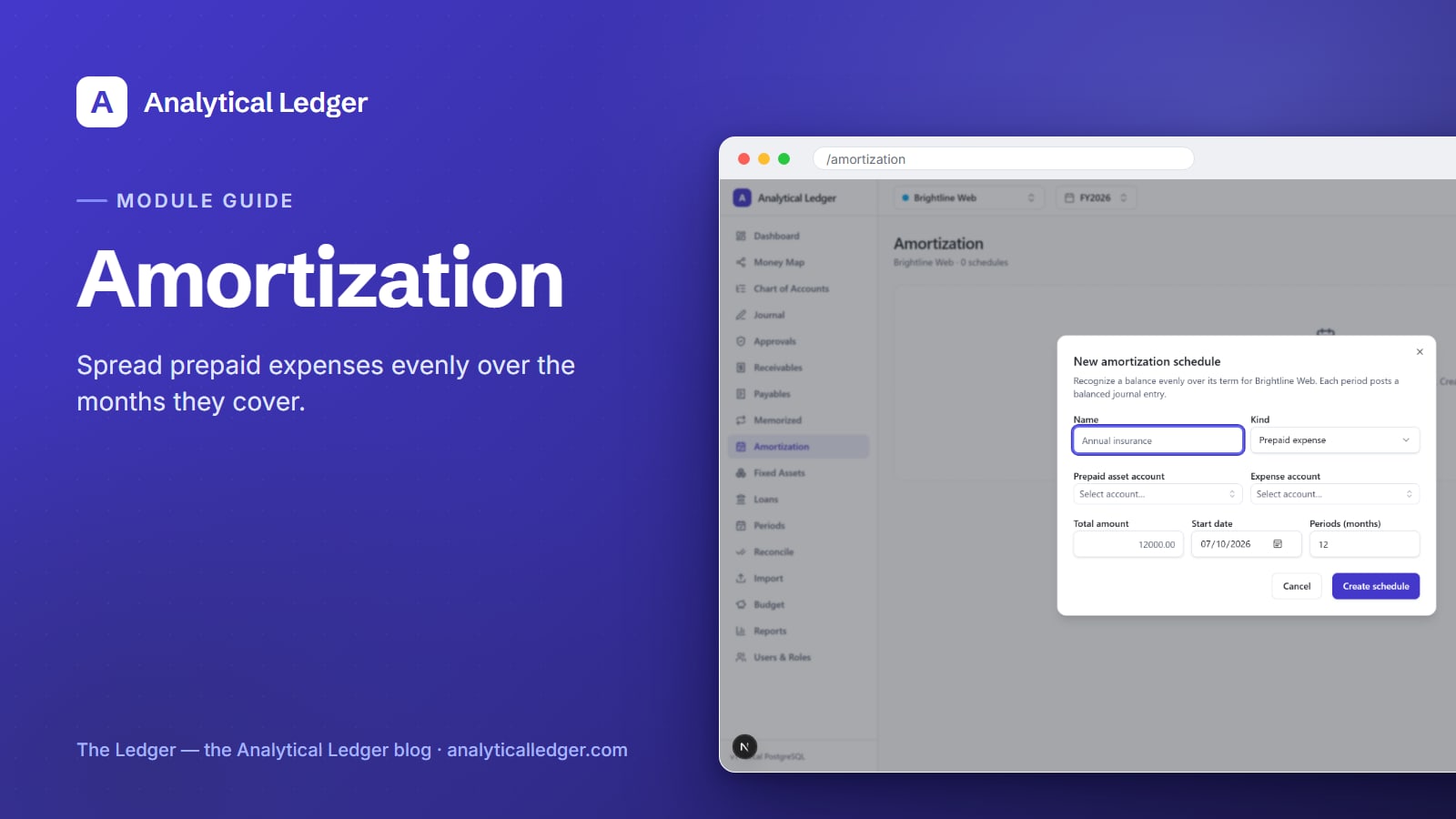
Open the Amortization module at /amortization, click New schedule, and fill in six fields: a name, the prepaid (or deferral) account, the expense (or recognition) account, the total amount, the start date, and the term in months. Save it, and the module posts an even recognition entry for each month of the term.
1. Book the prepaid amount first
Before you build the schedule, the money you paid up front needs to sit in a prepaid asset account — not straight into expense. When you pay the annual insurance bill, record that journal entry as a debit to a prepaid asset (an asset you'll use up over time) and a credit to cash or the bank. That balance is what the schedule will draw down, month by month.
2. Create a new schedule
In the Amortization module, click New schedule to open the dialog. Give it a name you'll recognize on the list later — "2026 General Liability Insurance" beats "Schedule 3." The list view shows every schedule with its remaining balance, so a clear name keeps a growing list readable.

3. Choose the two accounts
Pick the prepaid account — the asset holding the up-front amount from step 1 — and the expense account where the cost should land each month. Both come from your chart of accounts, so if you're on the 118-account default the right accounts are already there. The prepaid asset gets drawn down; the expense account gets fed. That's the whole mechanism.
4. Enter the amount, start date, and term
Type the total amount you prepaid, the start date the coverage begins, and the term in months. A year of insurance is a term of 12; a two-year prepaid plan is 24. The module divides the total evenly across the term — straight-line — and schedules one recognition entry per month from the start date forward.
5. Let the module post the monthly entries
Once the schedule is saved, the module posts the periodic recognition entries evenly over the term. Each month, one entry debits the expense account and credits the prepaid asset for that month's slice. These arrive as system-sourced entries — tagged so you can see the app created them — and, like every posted entry, each one balances to the cent and is immutable. If something's wrong, you fix it the accounting way: with a reversing entry, not an edit.
How does amortization handle deferred revenue?
The same module runs the mirror image for money you collect before you earn it. Deferred revenue is cash in hand for work not yet delivered — an annual retainer, a year of service billed on day one. You owe the work, so the cash starts as a liability, not income, and is recognized over the term.
Build it the same way: the deferral account is the liability holding the up-front cash, and the recognition account is the income account that should grow each month. Set the total, the start date, and the term, and the module recognizes an even slice of revenue every month — so your income statement shows the money as you earn it, not all at once when it arrived.
This keeps both sides of the timing problem honest. Prepaid expenses stop overstating a month's costs; deferred revenue stops overstating a month's income. Either way, the monthly P&L reflects the period it covers instead of the day cash moved.
We run our own group of companies — and our personal finances — on Analytical Ledger, daily, in production. The annual bills that used to spike a single month — insurance, prepaid subscriptions, up-front retainers — now sit on schedules and recognize themselves. The month-to-month numbers we check are clean because of it.
What owners get wrong about amortization
The most common mistake is skipping the prepaid step and expensing the whole bill on the day it's paid — then wondering why one month looks awful. Amortization isn't extra bookkeeping for its own sake; it's how you keep a lump-sum payment from lying to you about a single month.
A second one: treating it as a spreadsheet chore you have to remember every month. That's exactly the manual step the module removes. You set the schedule up once, and the recognition entries post on their own — the same idea as memorized transactions for anything recurring. The judgment (what to spread, over how long) is yours; the monthly repetition is the app's.
The last one is confusing amortization with depreciation. They share the straight-line idea, but amortization spreads a prepaid cost or deferred income over time, while depreciation of a fixed asset spreads the cost of equipment you bought over its useful life. Related tools, different jobs — and each has its own module.
Frequently Asked Questions
What's the difference between amortization and depreciation here?
Amortization spreads a prepaid expense or deferred revenue evenly across the months it covers — a year of insurance recognized month by month. Depreciation spreads the cost of a physical asset, like a laptop or vehicle, over its useful life. Analytical Ledger gives each its own module, but both use the same straight-line idea.
Does the module post the monthly entries automatically?
Yes. Once you save a schedule with its total, start date, and term, the Amortization module posts a straight-line recognition entry for each month — debiting the expense account and crediting the prepaid asset. Every entry is system-sourced, balances to the cent, and is immutable, so you correct any mistake with a reversing entry.
Can I amortize deferred revenue, not just prepaid expenses?
Yes. The same module handles both. For deferred revenue, the deferral account is the liability holding cash you collected but haven't earned, and the recognition account is the income account. The module recognizes an even slice of revenue each month over the term, so income lands as you earn it, not when the cash arrived.
What accounts do I need before setting up a schedule?
You need a prepaid asset (or deferral liability) account to hold the up-front amount, and an expense (or income) account for the monthly recognition. Both live in your chart of accounts, so if you're using the 118-account best-practice default mapped to IRS Schedule C and Form 1120, the accounts you need are already set up.
How do I fix a schedule I set up wrong?
Posted entries in Analytical Ledger are immutable — you never edit them. To correct a schedule, post reversing entries to undo the wrong recognition, then build a new schedule with the right accounts, amount, or term. This mirrors how real accounting works: the audit trail stays intact, and nothing quietly changes underneath you.
Start with the bill that's distorting your month
If one annual payment is making a month look worse than it was, that's the schedule to build first. See the Amortization module in context on the product page, or get in touch if you want to talk through how prepaid and deferred items should sit in your books.
About Analytical Solutions. We build Analytical Ledger — free, multi-entity, double-entry accounting that's correct to the cent and yours to keep. We run our own group of companies on it in production, prepaid schedules and all. More about us.